DX Manager
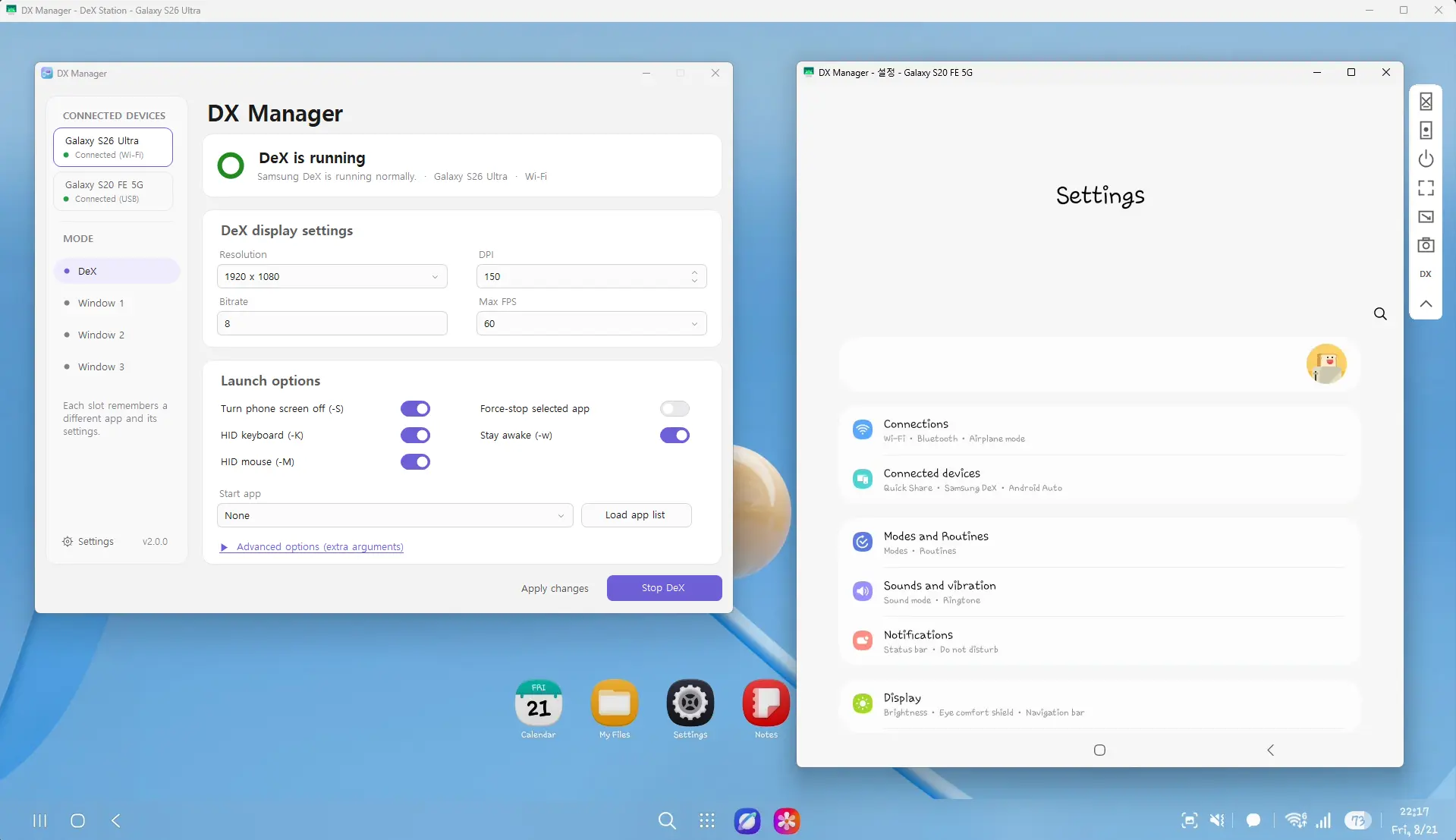
Samsung stopped DeX for PC. DX Manager brings the desktop feel back. It runs Samsung DeX and app windows on your computer. It is free and open source.
For Samsung Galaxy phones. Runs on Windows. Made by maze.
What DX Manager can do
Simple tools to run Samsung DeX the way you like.
-
Many Galaxy phones
Use more than one Galaxy phone at the same time.
-
Full DeX desktop
Open a full Samsung DeX desktop for each phone.
-
App windows
Open up to three app windows for each phone.
-
USB or WiFi
Connect by cable or over WiFi. It can find the WiFi address for you.
-
Tune each window
Set the size, the sharpness, and the smoothness you like.
-
Save app profiles
Save settings for each app. Load them again next time.
-
Move files easily
Drag and drop files and folders both ways. Names stay correct.
-
Light or dark
Pick a light or dark look. It picks your language too.
Get DX Manager
Free and open source. Get the file and follow the steps below.
Latest version 2.0.1. Free and open source.
- You need a Samsung Galaxy phone that supports DeX.
- On Windows you also need .NET Framework 4.6.2 or newer.
Set it up in five steps
- Download the DX Manager file and unzip it.
- Put the folder somewhere normal. Do not use Program Files.
- On your Galaxy phone, turn on developer options and USB debugging.
- Connect your phone with a USB cable. Tap allow on your phone.
- Open DXManager and your DeX desktop shows on your computer.
Common questions
What is DX Manager?
DX Manager is a free tool for Samsung Galaxy phones. It runs Samsung DeX and app windows on your computer.
Is DX Manager free?
Yes. It is free and open source. It uses the MIT license.
Who made DX Manager?
It is made by maze. You can see the project on GitHub.
Do I need a Samsung phone?
Yes. DX Manager needs a Samsung Galaxy phone that supports DeX. For other phones, use Android Dex.
Which systems can run it?
It runs on Windows.
What do I need to start?
Turn on USB debugging on your phone. On Windows you also need .NET Framework 4.6.2 or newer.
How is it different from Android Dex?
Android Dex works on every Android phone. DX Manager is only for Samsung phones and uses Samsung DeX.
Not a Samsung phone?
Android Dex works on every Android phone. It is free too.